“I want to make a game but I can’t code” is one of the most Googled sentences in indie game development. In 2026, it finally has a genuinely useful answer. You can build a real, playable, publishable game without writing code. But the way most articles explain how is either misleading or incomplete, and the gap between what’s promised and what’s actually possible trips up a lot of people early.
This guide is honest about what AI tools can do for non-coders, what they still can’t do, and which approach makes sense depending on what you’re actually trying to build. Whether you want a browser prototype to test an idea or a real game you can put on Steam, the path looks different.
The Honest Reality of No-Code Game Dev in 2026
The good news is real. AI has genuinely lowered the technical barrier to game development more in the past two years than in the previous twenty. You don’t need to learn C++ to build something people will actually play.
The less good news: most of the content about “build a game with AI, no coding required” skips over a few important realities. Some tools that call themselves no-code generate a browser demo that lives on their servers. You can share a link. You can’t put it on Steam, you can’t customise it much, and you don’t really own it in the way game developers mean when they talk about shipping a game. Other tools genuinely hand you a project file you can extend, publish, and sell.
The distinction matters a lot depending on your goal. If you want to test a game mechanic idea quickly, a browser-based AI tool is probably perfect. If you want to release something on Steam or the App Store, you need a different approach from day one.
One rule to start with
Keep your first project very small. Not “small for a professional game” — small for anyone. A single mechanic that works. One level. Five minutes of play. The fastest way to fail at AI-assisted game development is targeting an open-world RPG as your first project. The fastest way to succeed is shipping something tiny and learning what the tools actually do.
The Three Paths for Non-Coders (They’re Very Different)
When people say “use AI to make a game without coding,” they could mean three very different things. Getting clear on which one you’re doing saves a lot of confusion.
Path 1: AI-native no-code platforms
These are purpose-built tools where you describe your game in plain English and the AI generates it. Rosebud AI, MakeGamesWithAI, and Summer Engine fall into this category. You type something like “a side-scrolling platformer where the player collects coins and avoids spikes” and the tool builds a working prototype. No visual scripting, no node graphs, just natural language.
The split within this category: some platforms (Rosebud AI) produce a browser-hosted game. Fast to generate, easy to share, but limited in what you can customise and not yours in the publishing sense. Others (Summer Engine, built on Godot 4) give you a real project file on your computer that you own and can take to Steam. If publishing matters to you, this distinction is the most important thing to check before you commit to any platform.
Path 2: Visual scripting engines with AI assistance
Unity’s visual scripting and Unreal Engine’s Blueprints system let you build game logic by connecting nodes rather than writing code. You’re making decisions about what should happen and when, but through a visual interface rather than a text editor. Both Unity and Unreal now have AI assistants built in that can generate node graphs from a description, explain what existing logic does, and suggest fixes when something doesn’t work.
This path gives you access to professional-grade engines with massive asset libraries, strong community support, and full publishing capabilities. The learning curve is steeper than Path 1. But the ceiling is dramatically higher. GDevelop is another strong option here, specifically designed for non-programmers with event-based logic that’s genuinely approachable and an AI assistant that can build mechanics from descriptions.
Path 3: AI as a co-creator within traditional engines
This path uses AI tools like ChatGPT, GitHub Copilot, or Cursor to generate code you paste into a traditional game engine. You don’t need to understand every line of code. You describe what you need in plain English, the AI writes it, and you test it. This isn’t truly “no code” because you’re working with code. But it genuinely changes the skill requirement. You need to understand what the code should do, be able to test it, and recognise when it’s not working. You don’t need to write it from scratch.
Path 3 has the highest ceiling of all three. The output is indistinguishable from traditionally written code. But it requires more comfort with the development environment and more tolerance for debugging than the other paths. Worth knowing about as a natural progression from Paths 1 and 2.
What AI Actually Handles in Each Part of Game Development
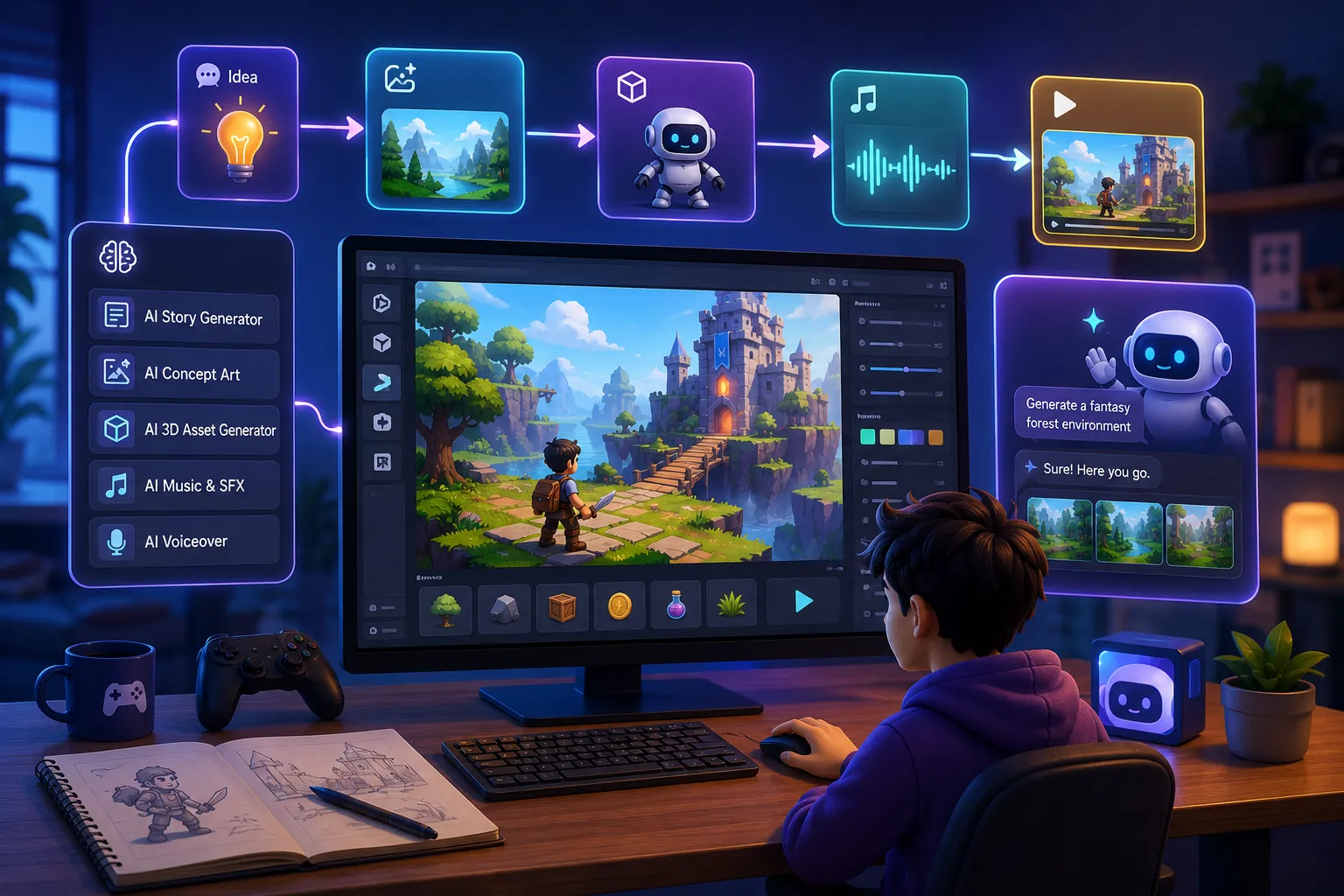
Game development involves a lot of distinct disciplines. AI tools don’t cover all of them equally well, and knowing where AI helps most tells you where to focus your energy and where to lower your expectations.
Art and visual assets
This is where AI has made the biggest difference for non-coders. Generating usable 2D sprites, textures, backgrounds, and character art used to require either artistic skill or budget for a freelancer. Scenario is built specifically for game asset generation. You can train it on a consistent visual style so all your assets look like they belong in the same game. Leonardo AI and Midjourney also generate strong game art, though Scenario’s game-specific features make it more practical for consistent production rather than one-off images.
One practical tip: lock your visual style before generating large batches of assets. “32×32 pixel art, warm colour palette, fantasy setting” as a consistent prompt modifier produces a cohesive look. Mixing styles across different prompting sessions is the fastest way to end up with assets that look like they came from five different games.
Game logic and mechanics
On Path 1 platforms: the AI handles this entirely. You describe the mechanic in natural language and the tool implements it. “When the player collects a coin, increase the score by 10” becomes working logic. On Path 2: visual scripting tools with AI assistance will build the node graph for you from a description. On Path 3: ChatGPT or Copilot writes the code, you paste it in.
Where AI struggles: complex interdependent systems. AI is good at implementing individual mechanics in isolation. When five mechanics all need to interact with each other in specific ways, the output requires more human oversight and iteration. This is normal — it’s not a failure of the tools, it’s where your role as creative director matters most.
Audio
Suno and AIVA generate original music tracks from text descriptions. “Tense, orchestral, minor key, 90 BPM” produces a usable soundtrack track in seconds. ElevenLabs handles voice acting for NPC dialogue at a quality level that’s difficult to distinguish from professional recordings in 2026. For sound effects, tools like ElevenLabs’ sound generation or AudioCraft produce usable SFX from descriptions. Audio is one of the areas where AI assistance has the strongest quality-to-effort ratio for non-coders.
NPC behaviour and dialogue
Inworld AI and Convai both create NPCs that can hold real-time conversations with players, adapt their behaviour based on what the player has done, and maintain personality consistency across interactions. These aren’t chatbots with scripted response trees — they’re genuinely dynamic characters. For a non-coder building an RPG or narrative game, this is one of the highest-value integrations available. The implementation requires some setup but both platforms have Unity and Unreal integrations that don’t require writing the AI system from scratch.
Level and world design
This is the area where AI assistance is still most inconsistent. Promethean AI helps with environmental design and asset placement in 3D spaces. Some AI-native platforms handle level generation automatically from descriptions. But for detailed, handcrafted level design where the spatial experience is a core part of the game, AI is more useful as an idea generator than a builder. Expect to do meaningful creative work here regardless of which tools you’re using.
This isn’t an exhaustive list. It’s the tools that actually come up in real non-coder workflows, with honest notes on what each one is genuinely good for.
| Tool |
What it does |
Best for |
Free tier? |
| GDevelop |
Free no-code game engine with AI assistant |
First real game engine for beginners |
Yes |
| Rosebud AI |
Prompt-to-game, browser hosted |
Quick prototyping, idea testing |
Yes (limited) |
| Summer Engine |
AI-native engine, Godot 4 compatible, Steam export |
Non-coders who want to publish |
Yes |
| Scenario |
Game-specific AI art generation |
Consistent 2D sprite and asset production |
Limited trial |
| Inworld AI |
Dynamic AI-powered NPCs |
RPGs, narrative games, NPC dialogue |
Yes (limited) |
| Suno |
AI music generation from text prompts |
Game soundtracks without a composer |
Yes |
| ElevenLabs |
AI voice acting and sound effects |
NPC voices, narrator, game audio |
Yes (limited) |
| Meshy |
Text-to-3D model generation |
3D game assets without modelling skills |
Yes (limited) |
| ChatGPT / Copilot |
Code generation from descriptions |
Path 3 — AI-assisted coding |
ChatGPT yes; Copilot paid |
A Realistic Workflow from Idea to First Playable
This workflow assumes Path 1 or Path 2 — no-code tools or visual scripting with AI assistance. It’s built around getting something playable as fast as possible rather than planning the full game upfront.
1
Constrain the idea to one mechanic
If you can’t describe your game idea in one sentence without using the words “and” more than once, it’s too big for a first project. “A top-down game where you avoid enemies and collect power-ups” is still too much. “A game where you dodge falling objects and the speed increases over time” is a viable first project. Smaller constraint, higher completion rate.
2
Choose your path and tool based on your goal
Quick idea test: Rosebud AI or GDevelop. Want to publish on Steam: Summer Engine or GDevelop. Want to learn visual scripting: Unity or Unreal Blueprints with their AI assistant. Don’t mix and match tools until you understand each one individually. Starting with two new tools simultaneously doubles the confusion.
3
Lock your visual style before generating assets
Decide on your art style in a single sentence: “16-bit pixel art, muted earth tones, top-down perspective.” Use that as the base prompt modifier for every asset you generate in Scenario or Leonardo AI. Generate a batch of 10 to 15 at once. Review and select the ones that fit. Consistency matters more than individual quality at this stage.
4
Build the one mechanic first, nothing else
Get the core loop working before you add anything else. Placeholder art, no sound, no menus. Just the thing that makes the game a game. Playtest it yourself. If it isn’t fun in placeholder form, adding polish won’t make it fun. This is where AI tools that generate mechanics from descriptions save the most time — describe what should happen and iterate on the result rather than building from a blank canvas.
5
Add audio last, before you call it playable
Sound design changes how a game feels more than almost any other single addition. Generate a simple soundtrack in Suno (describe the mood and BPM), add basic sound effects for player actions, and playtest again. The difference in perceived quality is significant and the effort with AI tools is minimal. Don’t skip audio — it’s one of the highest-return additions for non-coders using AI tools.
Mistakes That Waste Weeks
These come from watching a lot of people start ambitious AI-assisted game projects and abandon them before getting to a playable state.
Starting with a genre you’ve never played enough. If you don’t deeply understand what makes a good action RPG feel good, the AI can’t generate that understanding for you. Build in genres you know as a player. That instinct is the one thing the AI doesn’t have.
Using three different AI art tools for the same game. Every tool has its own aesthetic tendencies. Mix Midjourney, Scenario, and Leonardo AI in the same project and the result looks like a visual mess. Pick one and stick to it for all assets in a given project.
Treating AI output as final. AI-generated sprites often have inconsistent edge pixels, wrong transparent backgrounds, or colour values that don’t quite match your palette. Budget time for touching up assets in a simple editor like GIMP or Aseprite. AI gives you an 80% solution fast. The last 20% still takes human effort.
Waiting until the game is “ready” to playtest. Playtest from the moment the core mechanic works. Your first player will find problems with the first five seconds of the game that you’ve completely stopped seeing because you’ve stared at it for weeks. AI tools can help you build quickly, but they can’t tell you whether the result is fun.
Picking a tool based on a demo video. The demo always shows the best-case scenario. Before you commit to any platform, spend two hours building something small with it using a free trial. How it behaves when you try to do something slightly outside the demo’s parameters tells you far more than the marketing does.
What AI Still Can’t Do for You
This section matters because the gap between what AI can do and what it’s often claimed to do is where most frustration comes from.
Make design decisions. AI can generate a hundred variations of an enemy character. It can’t tell you which one is right for your game’s tone. It can generate three different jump-feel curves. It can’t tell you which one is satisfying to play. Design decisions require a human who understands what the experience should feel like and has enough player empathy to evaluate it.
Debug complex system interactions. When a mechanic works in isolation but breaks when five other systems are running at the same time, AI assistance becomes less reliable. The more interdependent your systems, the more human oversight is needed during debugging. This is still true in 2026.
Tell you what’s fun. This is the most important limitation. You can generate an entire game with AI tools. Whether it’s enjoyable is entirely on you. Play lots of games in the genre you’re building. Understand what makes them feel good. That knowledge is the creative direction AI needs from you to produce something worth playing.
Replace playtesting. AI can help you build faster. It cannot replace the process of watching real people play your game and observing where they get confused, frustrated, bored, or delighted. Ship small, get feedback early, iterate. That cycle is still the core of game development regardless of what tools you use.
Frequently Asked Questions
Can you really make a game without any coding knowledge in 2026?
Yes, genuinely. AI-native platforms like GDevelop, Rosebud AI, and Summer Engine let you build working games using natural language descriptions and visual logic rather than written code. The caveat: the types of games you can make without any coding are still constrained. Simple mechanics, straightforward systems, and modest scope work well. Complex systems with deeply interdependent mechanics eventually benefit from at least some coding knowledge — or a lot of patience with AI-generated code on Path 3.
What is the best free AI tool for game development with no coding?
GDevelop is the strongest free option for non-coders who want to build a real game they can publish. It’s a full game engine with event-based logic (no code), an AI assistant for building mechanics from descriptions, and free export to web and desktop. Summer Engine has a free tier if you want an AI-native experience compatible with Godot 4. Rosebud AI is excellent for quick browser prototypes at no cost. For art generation, Scenario’s trial and Leonardo AI both have free tiers suitable for small projects.
Can I put a game made with AI tools on Steam?
Yes, but it depends on which tool you used to build it. Browser-based AI game generators like Rosebud AI produce hosted games that typically can’t be exported to Steam. Tools like GDevelop, Summer Engine (Godot 4 compatible), and traditional engines with AI assistance produce real project files you own and can publish anywhere. If Steam or App Store publishing is your goal, confirm the export capabilities of any platform before you start building.
How do I generate game art with AI if I have no artistic skill?
Scenario is the most practical tool for game-specific art generation because it lets you train on a consistent visual style and generate batches of assets that look like they belong together. Start by defining your art style in a single sentence — art style, colour palette, perspective — and use that as the consistent base prompt for everything you generate. Expect to do light touch-up work on generated assets using a free tool like GIMP or Aseprite to fix edge pixels and ensure sizes are consistent. AI gets you 80% of the way; manual cleanup handles the rest.
What type of game should a beginner make with AI tools?
The type where the core mechanic is one thing. Dodge-the-obstacles. Match-the-colours. Click-the-target. Hyper-casual and arcade genres work well for first AI-assisted projects because they require a single satisfying mechanic rather than multiple interdependent systems. Play lots of games in the genre you’re considering before building — your instinct about what feels good is the creative direction AI tools need from you. Pick a genre you understand as a player.
How long does it take to make a game with AI tools if you can’t code?
A first playable prototype of a simple mechanic using an AI-native platform can happen in a weekend if the scope is genuinely small. A polished, publishable small game typically takes 4 to 12 weeks of regular work depending on scope, your familiarity with the tools, and how much iteration the design requires. The biggest variable is scope — the most common reason AI-assisted game projects by non-coders take much longer than expected is that the initial idea was too ambitious for where someone is in their learning process.
Your Role Has Changed, Not Disappeared
In 2026, making a game without writing code is genuinely possible in a way it wasn’t three years ago. AI tools handle the parts that used to require technical skills. What they don’t handle is the part that actually makes a game worth playing: the design instinct, the decision about what’s fun, the creative direction that holds the whole thing together.
Your job isn’t coder anymore. It’s more like creative director and curator. The AI generates options. You decide which ones are right. That’s a different skill set from programming, but it’s absolutely a skill set — and one that gets better the more games you play, study, and ship.
Start tiny. Pick one tool. Build one mechanic. Get it working. Then ship it. Everything that comes after — better tools, more ambitious scope, a growing skill set — follows from that first small finished thing.
Ready to go deeper? Read our guide to the best free AI tools for indie game development for a full breakdown of what’s available at no cost in 2026, and our Scenario vs Midjourney vs Stable Diffusion comparison if you’re trying to decide which AI art tool is right for your game’s visual style.






 HEALTH AND FITNESS9 months ago
 Uncategorized9 months ago