Most enterprise web projects fail in the same place. Not the code. The decisions that happen before the code. An architecture chosen for a demo scenario instead of real Monday-morning load. Integrations scoped as an afterthought. A compliance requirement discovered three months after development started. A budget that covered the build but nothing after it.
This guide is for the people making those decisions: CTOs, digital transformation leads, IT directors, and procurement teams evaluating whether to build, what to build, what it will really cost, and what kind of partner won’t leave them holding a system that can’t handle real traffic. The basics are here, but so are the angles most guides skip.
Quick answer
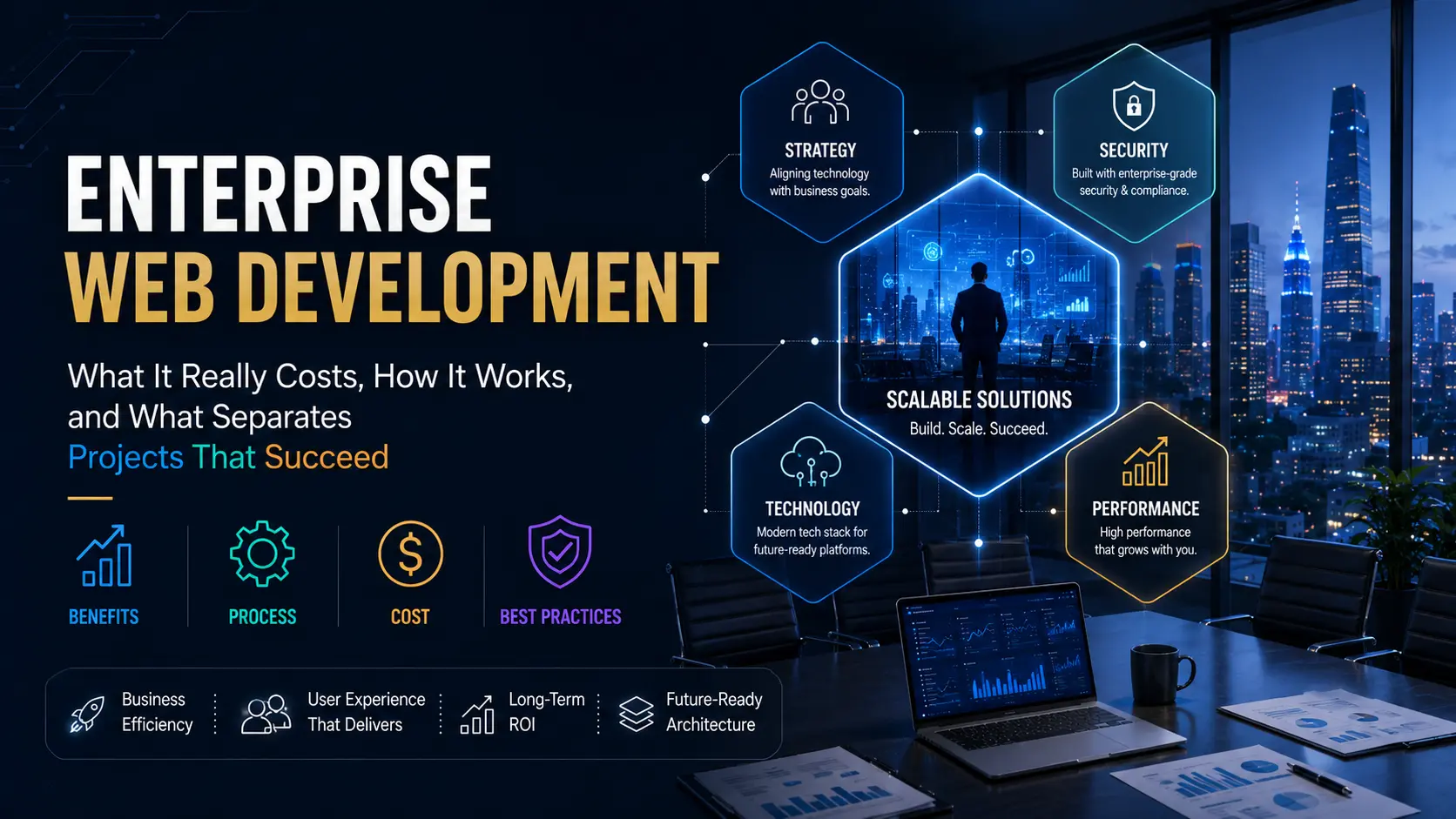
Enterprise web development is the design, build, and long-term maintenance of large-scale web platforms built to run core business operations: customer portals, B2B commerce, internal tools, and data-heavy systems that must stay fast, secure, and integrated with ERP, CRM, and legacy infrastructure. Projects typically run $75,000 to $500,000 and up, take six to twelve months for a substantial build, and cost 15 to 20 percent of the initial investment annually to maintain properly afterward.
What Enterprise Web Development Actually Covers
The term gets used loosely. People apply it to anything big or expensive. That’s not a useful definition, because it blurs the line between a large marketing site and a platform that processes ten thousand transactions a day. The distinction matters because the approach, the team, the architecture, and the risk profile are all different.
Enterprise web development covers platforms where failure has real operational consequence. Customer portals where a B2B buyer expects to log in, see their pricing tier, place an order, and track fulfilment in real time. Internal dashboards where a finance team needs live reporting across three systems. Supply chain tools, HR self-service portals, partner extranets, configurable B2B ecommerce engines. These share common characteristics regardless of industry: many concurrent users, integrations with core systems, and a cost of downtime that’s measured in revenue, not inconvenience.
A reliable signal that you’re in enterprise territory: if the project requires single sign-on, formal security review, audit logging, or compliance with a specific regulatory framework before it ships, it’s an enterprise build. Those requirements rarely appear on standard web projects. They’re the organizational tell.
How It Differs From Standard Web Development
The line isn’t visual. A well-built small business site and an enterprise application can look nearly identical to a user. The differences are all under the hood, and they’re substantial.
| Factor |
Standard web development |
Enterprise web development |
| Concurrent users |
Hundreds, maybe low thousands |
Tens of thousands to millions, often simultaneously |
| Architecture |
Single server, straightforward deployment |
Distributed, load-balanced, auto-scaling infrastructure |
| Security |
SSL, basic input hardening |
Formal review, SSO, audit trails, compliance controls, zero-trust principles |
| Integrations |
A payment gateway, maybe a CRM field |
ERP, CRM, legacy systems, internal data pipelines, identity providers |
| Stakeholders |
One owner or a small marketing team |
IT, security, legal, compliance, finance, and multiple business units |
| Timeline |
Weeks to two months |
Six to twelve months minimum for a substantial build |
| Cost of failure |
Inconvenient but recoverable quickly |
Revenue loss, regulatory exposure, operational disruption |
None of this makes standard development lesser. It’s the right answer for most projects. The mistake is treating an enterprise problem as a standard one, choosing a template and a tight budget for a system that’s going to carry real operational weight. That mismatch explains a significant share of the expensive rebuilds that follow a year or two later.
Make vs Buy: The Decision Most Guides Skip
Before scoping a custom build, one question needs an honest answer: should you build this at all? Enterprise-grade Commercial Off-The-Shelf (COTS) platforms exist for many of the problems enterprises try to solve with custom development. Salesforce Experience Cloud for customer portals. ServiceNow for internal operations. SAP Commerce Cloud for B2B ecommerce. Workday for HR self-service.
Custom builds win when your business process is genuinely differentiated. If what you need to build is how your company competes, a generic platform built to serve thousands of companies won’t fit. But if the requirement is “a portal where customers can check order status and pay invoices,” that’s solvable with a configured platform far faster and cheaper than a custom build.
| Signal |
Points toward custom build |
Points toward platform / COTS |
| Business logic uniqueness |
Core logic is proprietary and a competitive differentiator |
Standard workflows similar to hundreds of other organizations |
| Integration depth needed |
Deep integration with proprietary internal systems |
Standard connectors to common platforms like Salesforce or SAP |
| Speed to value |
You have the runway to build right |
You need something working in 90 days |
| Long-term ownership |
You want full control, no vendor lock-in |
You’d prefer someone else handles infrastructure and updates |
A hybrid is increasingly common. Build a thin custom layer on top of a platform to get the speed of an existing ecosystem with the flexibility to differentiate where it counts. Shopify Plus with a custom checkout extension is an example. Salesforce with a custom community portal template is another. The platform does the heavy lifting; the custom layer delivers the business-specific experience.
Architecture Decisions That Decide Everything
Architecture is the decision with the longest tail. Get it right and future changes stay manageable. Get it wrong and every new feature costs more than the last, until the platform becomes too expensive to maintain and the rebuild conversation starts again.
Monolith vs microservices
A monolith keeps everything in one codebase and one deployment. Simpler to build, easier to test, faster to ship in the early stages. For most enterprise apps, a well-structured monolith is still the right starting point. It’s underused because it sounds unsophisticated, not because it’s technically wrong.
Microservices split the application into independent services that deploy and scale separately. They’re the right answer at genuine scale, with large parallel teams working across distinct business domains. They add real overhead at the same time: service discovery, distributed logging, network latency between services, more infrastructure to operate. Teams that adopt microservices before they have the scale or operational maturity to run them end up with complexity that multiplies every cost without delivering the promised flexibility.
The modular monolith: usually the right call
A modular monolith keeps a single deployment but organizes the code into modules with strict internal boundaries. You get most of the maintainability benefits of microservices without the distributed-systems tax. For most enterprise builds at launch, this is the right starting point. Split services out only when a specific part of the system genuinely needs to scale on its own, not before.
| Architecture |
Best fit |
Real risk |
| Monolith |
Early-stage, small teams, clear scope |
Harder to scale individual services independently later |
| Modular monolith |
Most enterprise apps at launch |
Needs discipline to keep module boundaries clean over time |
| Microservices |
Very large scale, many parallel teams |
Heavy operational overhead; wrong choice before scale justifies it |
| Composable / MACH |
Frequent change, multi-channel delivery |
More integration coordination upfront; overkill for stable requirements |
Security, Compliance, and Accessibility
The stakes are measurable. According to IBM’s 2025 Cost of a Data Breach Report, the average breach cost for US organizations reached $10.22 million, the highest on record for the region. Globally the average sits at $4.44 million. Shadow AI, where employees use unsanctioned AI tools without oversight, added an average $670,000 to breach costs in organizations where it occurred. Security isn’t a feature to add at the end. It’s the foundation everything else sits on, and it has to be designed in from the first architecture decision.
Zero-trust architecture is the current security standard for enterprise platforms. It operates on the principle that no user, device, or service is trusted by default regardless of whether it’s inside the corporate network. Every access request gets verified, every session gets authenticated, and least-privilege access limits what any single identity can reach. Most enterprise security teams now require zero-trust principles in new platform designs, not as an optional layer but as a foundational expectation.
Compliance requirements vary by industry and geography. Most enterprise platforms need to address more than one standard simultaneously.
| Standard |
What it covers |
Who needs it |
| SOC 2 |
Security, availability, and data processing controls |
SaaS providers and platforms handling client data |
| GDPR |
Personal data rights and consent requirements |
Any business handling data from the EU or UK |
| HIPAA |
Protected health information handling |
Healthcare, insurers, and any vendor processing PHI |
| PCI DSS |
Secure payment card data processing |
Any platform processing or transmitting card payments |
| WCAG / ADA |
Web accessibility for users with disabilities |
Public-facing platforms; increasingly a legal requirement |
The OWASP Top 10 is the standard reference for web application security vulnerabilities. Any enterprise development team that can’t walk you through how they address injection attacks, broken access control, and security misconfiguration in their builds is not operating at enterprise security standards. Ask the question directly in the evaluation conversation.
Accessibility is not optional
Most teams treat WCAG compliance as a nice-to-have until a lawsuit says otherwise. Accessibility failures remain near-universal on enterprise platforms that haven’t audited for it. Beyond the legal exposure, accessible design tends to produce cleaner, faster interfaces. Build it into the first wireframe review, not the final QA pass before launch.
Tech Stacks for Enterprise Web Applications
There’s no single right stack. The right technology follows from the team’s skills, the problem, and where the platform will need to go over the next three to five years. That said, a few choices show up consistently in serious enterprise builds because they’re proven at scale, well-supported, and easy to hire for.
| Layer |
Common enterprise choices |
Good when |
| Frontend |
React with Next.js, Angular |
Complex role-based interfaces, heavy interactivity, or large teams |
| Backend |
Node.js, Java, .NET, PHP with Laravel |
High transaction volume, complex business logic, regulated environments |
| Database |
PostgreSQL, SQL Server, MySQL, MongoDB |
Structured transactional data or flexible document models |
| Cloud |
AWS, Azure, Google Cloud |
Elastic scaling, managed services, global availability |
| Containers |
Docker, Kubernetes |
Consistent deployment across environments, scalable workloads |
One principle worth holding to: choose for the next five years, not the next five weeks. The most exciting new framework right now is often expensive to hire for and unsupported by the libraries your integrations need. Boring, proven technology runs most of the systems you actually rely on. That’s not an accident, and it shouldn’t be ignored in planning.
ERP, CRM, and Legacy Integrations
Integration is where enterprise web projects most often run into trouble. Not because it’s impossible, but because teams consistently underestimate it and discover the complexity late, when changes cost the most.
An enterprise portal typically needs to pull live data from an ERP (real-time pricing, inventory, order status), write back to it (new orders, payments), sync with a CRM (customer profile, activity history), and often connect to a handful of internal tools built years ago that no one wants to replace. From the user’s perspective it’s one screen. Behind it, five systems exchange data every time something changes.
What makes this manageable is API-first thinking applied early. Every system that the platform needs to talk to should be mapped during discovery, not after design. Legacy systems deserve particular attention. Many enterprises run critical processes on software built in the 2000s with no REST API and documentation that exists only in someone’s memory. Wrapping these with an API layer rather than replacing them outright is usually the pragmatic approach. It reduces risk, buys time, and keeps the project scope from exploding.
Map integrations in discovery, not after design
Teams that document every system the platform must connect to during discovery avoid the most expensive surprises. Integration work discovered mid-build adds scope, cost, and timeline simultaneously. It’s the fastest way for a fixed-price estimate to become a disputed invoice.
The Development Process With Governance Built In
Most guides present enterprise development as a linear sequence of phases. Discovery, design, build, test, launch. That’s accurate but incomplete. Enterprise projects fail at the gaps between phases, where requirements drift, stakeholder sign-off gets skipped, and compliance reviews happen too late to be anything other than expensive. The process needs governance gates built into it, not bolted on afterward.
1Discovery and requirements (never skip or shorten)
Map users, business goals, every system that must integrate, compliance requirements, and what “done” actually looks like. Gate: all stakeholders sign off on the scope document before design begins. Skipped discovery is the single biggest source of expensive change requests in enterprise builds.
2Architecture and security design
Choose architecture and document security controls before writing any feature code. Gate: security team reviews and approves the architecture. Changes here are cheap. Changes after build are not.
3Design and prototype
Build clickable prototypes, not finished screens, for stakeholder review. Catch workflow problems before a line of code is written. Gate: key stakeholder sign-off before development sprint one.
4Phased development in tested increments
Build in two to four week sprints with working, testable software at the end of each sprint. Not “mostly done.” Working software. For large builds, agree on a Phase 1 MVP scope that delivers core value, with Phase 2 and 3 features documented but not committed to in the first contract.
5QA: functional, performance, security, accessibility
Test all four, not just whether buttons work. Load testing matters most here: simulate the volume of your worst day, not your average day. Gate: security penetration testing before launch on any platform handling sensitive data.
6Staged deployment and post-launch monitoring
Deploy during a low-traffic window with a tested rollback plan. Monitor closely for 30 days. Real user behavior produces edge cases that never appeared in QA. The teams that respond to those quickly are the ones that build organizational trust in the platform.
What It Really Costs: Build Plus the Numbers Nobody Quotes
Build cost gets quoted. Total cost of ownership doesn’t. The build cost is the number in the proposal. The real cost is what you’ll spend over three years to keep the platform running, secure, and useful. Those are different numbers, and budgets that only plan for one of them produce unpleasant surprises in year two.
Build cost by project type
| Project type |
Typical build range |
Typical timeline |
| Enterprise portal or internal dashboard |
$75,000 to $175,000 |
4 to 7 months |
| Mid-size enterprise platform (multiple modules) |
$175,000 to $450,000 |
7 to 12 months |
| Large-scale distributed platform |
$450,000 to $1,000,000+ |
12 to 18 months |
| Hourly rates (US/UK agencies) |
$100 to $175 mid-level; $250 to $400 senior architecture and compliance work |
N/A |
The hidden costs that blow budgets
These don’t appear in most vendor proposals. They’re real, they’re significant, and they need to be in the budget from day one.
- Data migration. Moving existing data from legacy systems is almost always harder than scoped. Data quality issues, format mismatches, and business logic embedded in old records routinely double the effort of what was quoted as a migration task. Budget 15 to 25 percent extra specifically for data-related work on any migration project.
- Stakeholder review cycles. Enterprise platforms have more reviewers than development projects. Legal, security, and compliance sign-offs add weeks. Build them into the timeline as actual milestones, not assumptions about parallel work happening on schedule.
- Compliance audit preparation. For platforms needing SOC 2, HIPAA, or PCI compliance, documentation, penetration testing, and audit prep work typically runs $15,000 to $60,000 on top of the development cost. It doesn’t happen during build. It happens before launch.
- Staff training. An enterprise platform that replaces internal workflows needs training to achieve adoption. Budget 3 to 5 percent of build cost for training material development and rollout.
- Annual maintenance. Budget 15 to 20 percent of build cost per year for security patches, dependency updates, infrastructure costs, and operational support. A $300,000 platform costs $45,000 to $60,000 a year to maintain properly. Skipping this doesn’t save money. It defers cost to a worse moment.
Post-launch support: what SLA tiers actually look like
| Support tier |
Typical monthly cost |
What it covers |
Response time |
| Basic maintenance |
$1,500 to $3,500 |
Updates, security patches, monitoring, backups |
Next business day |
| Standard support |
$3,500 to $8,000 |
Above plus minor enhancements, bug fixes, monthly reporting |
Same business day for critical issues |
| Priority / dedicated |
$8,000 to $20,000+ |
Dedicated resource, feature roadmap work, 24/7 critical coverage |
1 to 4 hours for P1 incidents |
AI in Enterprise Web Development in 2026
AI’s role in enterprise development in 2026 splits cleanly into two distinct conversations that often get conflated. AI as a development tool. And AI as a product feature. Both are real. Both have different implications, and treating them as the same thing produces bad decisions in both directions.
AI as a development tool
Adoption is pervasive. Studies from 2025 put AI tool usage among developers at 84 percent or more. GitHub Copilot, Claude, and similar tools are now standard equipment in most professional development environments. The productivity gains on repetitive work (boilerplate, tests, documentation) are real. Research from McKinsey found developers completed some tasks up to twice as fast with AI assistance, though complex architectural work showed much smaller gains.
The critical governance point: according to IBM’s 2025 breach data, 63 percent of organizations lack formal AI governance policies. Shadow AI (employees using unsanctioned tools without oversight) contributed to 20 percent of breaches and added $670,000 in average cost to those incidents. Any enterprise development team deploying AI tools without explicit governance policies is creating security exposure. Ask about it directly during vendor evaluation.
AI as a product feature
This is where enterprise buyers need to be most careful. AI assistants, smart search, and recommendation engines are now part of user expectations on enterprise platforms. But building these features responsibly requires specific choices about data handling, model governance, user consent, and audit trails. An AI assistant built on your proprietary ERP data is a security architecture question as much as a product one. Plan for the governance layer before the feature scope, not after.
Where Enterprise Projects Actually Fail
Most enterprise project failures don’t show up as technical failures. The code works. The failures are process failures and planning failures that show up months into a project or months after launch.
| Failure mode |
What it looks like in practice |
How to prevent it |
| Discovery rushed or skipped |
Change requests start arriving in sprint two and never stop |
Require a signed scope document before development starts |
| Integrations discovered late |
A required system connection appears after design is locked |
Map every connected system in discovery, not architecture |
| Architecture over-engineered |
Microservices for a team that can’t run a clean monolith |
Start with a modular monolith; split only when scale demands it |
| Security bolted on at launch |
Pen test reveals critical issues two weeks before go-live |
Security architecture reviewed before development begins |
| Big bang launch instead of phased |
All modules go live at once; one failure blocks everything |
Phase the rollout: core MVP first, additional modules after |
| No maintenance plan |
Platform decays quietly for 18 months then needs a rebuild |
Budget 15 to 20 percent of build cost per year from day one |
How to Evaluate and Select a Development Partner
The partner you choose matters as much as the technology. A strong team makes average technology work. A weak team wastes even the best stack. Enterprise partners deserve scrutiny that goes beyond reviewing a portfolio.
What to look for
- Verifiable experience at your scale and complexity, not just volume of past clients
- A documented process with defined governance gates, not an improvised one
- Explicit answers on security, compliance approach, and AI governance policies
- Named points of contact and clear escalation paths
- Written clarity on code ownership and intellectual property
- A real post-launch support plan with defined SLA terms, not “we’ll handle it”
Questions worth asking directly
On security: How do you address the OWASP Top 10 in your development process? Do you have a formal security review gate before launch? Can we see an example of a penetration test report from a similar project?
On code and ownership: Who owns the source code when this project ends? Is that IP assignment explicit in the contract, or assumed?
On process: How do you handle scope changes mid-project? What’s the change order process and how do you price scope additions?
On integrations: How do you handle legacy systems with no documented API? What’s your approach to API wrappers for systems that predate REST?
On references: Can I speak directly with a reference client who had a project of similar scope and complexity? What went wrong on their project and how did you handle it?
Warning signs that matter more than any portfolio
A quote far below every other bid almost always means corners cut on security, testing, or post-launch support. A team that agrees to everything without pushing back on scope or timeline hasn’t thought through what you’re actually asking them to build. And vague answers on code ownership or post-launch support are among the clearest signals that a partner hasn’t done enterprise work before. Get specifics in writing before signing anything.
Frequently Asked Questions
What is enterprise web development?
Enterprise web development is the design, build, and long-term maintenance of large-scale web platforms built to run core business operations. This includes customer portals, B2B ecommerce, internal tools, supply chain systems, and data-heavy applications that require scalable architecture, deep system integrations, strict security and compliance, and support for many concurrent users. The defining characteristic isn’t size. It’s that failure has real operational and financial consequence.
How much does enterprise web development cost?
Build costs typically range from $75,000 to $175,000 for focused portals and dashboards, $175,000 to $450,000 for mid-size platforms, and $450,000 to over $1,000,000 for large-scale distributed systems. Those are build costs only. Add data migration (15 to 25 percent extra on any migration), compliance audit preparation ($15,000 to $60,000 for regulated industries), staff training, and annual maintenance at 15 to 20 percent of build cost per year. The total cost of ownership over three years is typically 1.5 to 2x the initial build invoice.
How long does an enterprise web project take?
Focused portals and dashboards typically run 4 to 7 months. Mid-size platforms with multiple modules and integrations run 7 to 12 months. Large-scale distributed platforms take 12 to 18 months. These assume properly resourced teams and reasonable stakeholder availability for reviews. Compliance-heavy industries (healthcare, finance) add 2 to 4 months for audit preparation and security reviews. Any quote promising a complete enterprise platform in under 3 months is scoping something considerably smaller than you might expect.
Should we build custom or use an existing enterprise platform?
Build custom when the business logic is genuinely differentiated, a competitive asset, or impossible to approximate with a configurable platform. Use COTS (Salesforce, ServiceNow, SAP, Shopify Plus, etc.) when the requirement maps closely to what those platforms already solve. The wrong direction is treating custom development as the default and COTS as a compromise. A configured enterprise platform can launch in weeks rather than months, carries lower long-term maintenance cost, and shifts infrastructure risk to the vendor. Custom wins when you’re building something that’s how you compete, not just how you operate.
What security standards apply to enterprise web applications?
The standards depend on industry and data type. SOC 2 for service providers, GDPR for platforms handling EU or UK personal data, HIPAA for health information, and PCI DSS for card payment processing. Most enterprise platforms need two or more of these simultaneously. Zero-trust architecture principles and the OWASP Top 10 vulnerability framework apply regardless of industry. SSO and formal audit logging are expected on virtually every enterprise platform. Ask any vendor candidate how they address these specifically, not just whether they’re familiar with them.
What is the biggest mistake in enterprise web development projects?
Rushed or skipped discovery, by a large margin. Nearly every expensive change request, scope dispute, and delayed launch traces back to requirements that weren’t properly defined before development began. Discovery is the cheapest place to catch a mistake and the most expensive to skip. The second most common failure is treating integrations as an afterthought, discovering a required ERP or legacy system connection mid-build when changes cost the most. Both are preventable with a proper scoping process.
Can an enterprise platform be built in phases?
Yes, and for large builds it’s usually the right approach. A Phase 1 MVP delivers core functionality (the most critical user journeys, essential integrations) and goes live on a realistic timeline. Phases 2 and 3 add additional modules, advanced features, and scale capabilities based on real user feedback from Phase 1. Phased delivery reduces launch risk, allows earlier organizational value, and gives teams the chance to refine requirements for later phases based on what actually gets used. It also allows budget to be allocated in stages rather than all upfront.
The Platform That Holds Up on Monday Morning Is the Goal
Enterprise web development done well is not about impressive architecture diagrams or technology choices. It’s about a platform that operates cleanly under real pressure, integrates reliably with the systems the business depends on, stays secure without constant firefighting, and keeps working as requirements change over years, not months.
The decisions that determine whether that happens are mostly made in the first six weeks: make vs buy, architecture, integrations mapped properly, security designed in, phased vs big bang delivery, and a total cost of ownership budget that includes the years after launch.
Get those right and the technology mostly takes care of itself. Get them wrong and no amount of good code recovers the situation cleanly. The partner who helps you get those decisions right is worth more than the one who simply agrees to your requirements and starts building.
Building your stack evaluation further? Our guide to WordPress developer costs in 2026 covers the specific pricing, hiring models, and total cost of ownership questions for teams considering WordPress as the foundation for an enterprise web platform, including where it makes sense and where custom development is the better call.





 BUSINESS9 months ago
 HEALTH AND FITNESS9 months ago
 Uncategorized9 months ago
 Education9 months ago