Most developers approach this comparison backwards. They ask “which framework is better?” when the useful question is “which framework fits this specific project?” The answer changes depending on whether you’re shipping in three weeks or building something that needs to scale for three years. Both frameworks are production-ready. Neither is universally superior. The decision is about fit, not quality.
One major factor this comparison needs to address that most 2026 articles skip: Tailwind v4 landed in January 2025 and changed the framework more fundamentally than any previous release. The tailwind.config.js file is gone. Configuration now lives in CSS. Build speeds are up to 5x faster with a Rust-based engine. If you haven’t seen Tailwind since v3, what you remember about setup and configuration is no longer accurate.
Quick verdict
Tailwind wins on performance, design flexibility, scalability, and AI coding tool compatibility. Bootstrap wins on initial speed, beginner accessibility, and ecosystem depth for rapid prototyping. For new projects in 2026, most experienced teams default to Tailwind. For quick MVPs, internal tools, or teams with limited frontend experience, Bootstrap still earns its keep.
The Core Philosophy Difference (With Real Code)
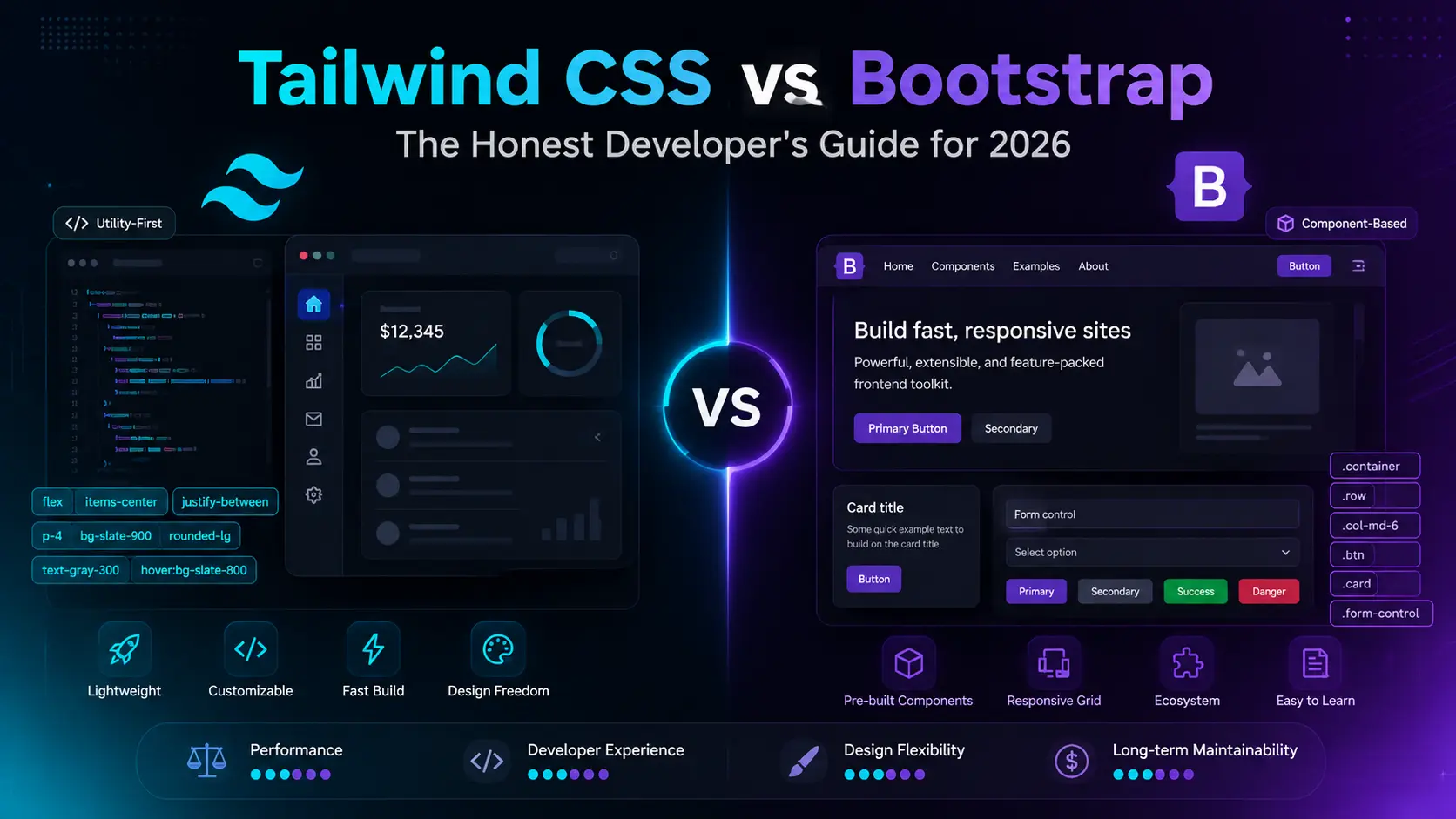
This distinction drives every other difference in the comparison. Tailwind is utility-first: small single-purpose classes applied directly in the HTML. Bootstrap is component-first: pre-styled UI elements you drop into markup and customize from there.
The same button in both frameworks:
Bootstrap button
<button class="btn btn-primary btn-lg">Get Started</button>
Tailwind button (v4)
<button class="bg-blue-600 hover:bg-blue-700 text-white font-semibold

py-3 px-6 rounded-lg transition-colors">Get Started</button>
The Bootstrap version is five words of HTML. Clean, readable, and immediate. The Tailwind version is more verbose, but every design decision is explicit and visible in the markup without opening a separate file. Neither is wrong. They reflect genuinely different opinions about where styling logic should live.
The Bootstrap version’s verbosity problem shows up at scale. Want to change the button’s border radius across 50 components? That requires either a SASS override that cascades through the entire framework, or hunting through templates manually. In Tailwind, you change the design token once in your CSS file and every element that references it updates automatically.
Tailwind v4: What Actually Changed
Released January 22, 2025, Tailwind v4 is more than an update. It’s a ground-up rewrite that removed the most complained-about parts of the v3 setup while significantly improving build performance.
No more tailwind.config.js
All configuration moved to a CSS-first @theme directive. Instead of a JavaScript file defining your design tokens, they now live directly in CSS as custom properties:
Tailwind v4 configuration (in your CSS file)
@import "tailwindcss";
–color-brand-500: oklch(0.62 0.19 250);
–font-display: “Satoshi”, sans-serif;
–breakpoint-3xl: 1920px;
}
Those tokens automatically become CSS custom properties accessible anywhere in your stylesheet. No JavaScript config to maintain, no context-switch between files. This alone resolves the biggest friction point most teams had with v3.
Lightning CSS build engine
v4 replaced the PostCSS pipeline with Lightning CSS, a Rust-based compiler. Official benchmarks show full builds up to 5x faster and incremental builds (hot reload during development) up to 100x faster. In practical terms, that means sub-50ms hot reload on most projects. Dev feedback feels nearly instant. This matters more than the numbers suggest because slow dev feedback cycles are genuinely productivity-draining on large projects.
v4 migration note
Tailwind v4 is a breaking change from v3. The tailwind.config.js file is not recognized, @tailwind directives are replaced by a single @import, and some third-party plugins built for v3 required updates. An official upgrade tool (npx @tailwindcss/upgrade) automates 80 to 90 percent of the migration. Budget 2 to 4 hours for a small project, a full sprint for large heavily-customized ones. New projects should start on v4 by default.
This is where the difference is most measurable and most consequential for production sites.
| Metric |
Tailwind v4 |
Bootstrap 5.3 |
| Production CSS size |
5 to 15KB typical |
160 to 200KB (minified full bundle) |
| Gzipped size |
3 to 5KB |
25 to 35KB |
| Unused CSS in production |
None (JIT scans templates) |
Yes, unless manually configured |
| Core Web Vitals impact (LCP) |
Positive (less render-blocking CSS) |
Neutral to negative without PurgeCSS |
| Build engine |
Lightning CSS (Rust, very fast) |
Standard Sass/PostCSS pipeline |
The real-world implication: on a paid traffic campaign where page speed affects Quality Score and conversion rate simultaneously, a 15KB CSS file versus a 35KB gzipped one is a measurable difference. It shows up in PageSpeed Insights scores and in bounce rates on slow mobile connections. For any project where performance is a business metric rather than a developer preference, Tailwind’s output has a genuine advantage.
Learning Curve and Developer Experience
Bootstrap is genuinely easier to start with. That’s not a knock on Tailwind. It’s just true. A developer who has never used a CSS framework can install Bootstrap, paste in a component, and have a working navbar in an hour. The mental model is simple. The documentation is excellent. There are decades of Stack Overflow answers.
Tailwind has a steeper ramp. Learning the utility class names takes time. The v4 setup is simpler than v3, but it still assumes comfort with modern frontend tooling. Vite, PostCSS, npm. For someone coming from traditional HTML/CSS workflows, there’s a setup phase that doesn’t exist with Bootstrap’s CDN link.
The curve matters less than people expect, though. Most developers who commit to Tailwind past the first two weeks find it faster and more predictable than Bootstrap for anything beyond simple layouts. The explicit nature of utility classes, once internalized, removes the “where is this style coming from?” debugging that CSS overrides create at scale.
The class bloat criticism
Every Tailwind user has heard it: “your HTML is a mess of classes.” It’s a fair observation about Tailwind’s markup. A card component might carry 15 to 20 utility classes in a single element.
The standard response in experienced Tailwind teams is component extraction. Instead of repeating 15 classes everywhere a button appears, you define a Button component in React or a reusable template partial in whatever framework you’re using, and the classes live there once. The HTML that consumes it stays clean. This is how Tailwind works in production at scale, not repeated class soup everywhere.
Design Flexibility and the Bootstrap Look Problem
Spend a few years in frontend work and you develop an eye for Bootstrap. The rounded pill buttons, the card shadows, the navbar spacing. It’s not that Bootstrap is ugly. It’s that Bootstrap has a default aesthetic that’s hard to fully shake, and enough sites use it that the pattern is recognizable.
This matters more in some contexts than others. An internal admin tool? Nobody cares. A consumer-facing product where visual brand differentiation is a competitive asset? The Bootstrap default personality becomes a liability you spend time fighting against rather than building forward from.
| Scenario |
Better choice |
Reason |
| Distinct brand identity |
Tailwind |
Design tokens give full control with no default opinions to override |
| Quick internal tool |
Bootstrap |
Default aesthetic is professional enough; no design investment needed |
| Custom design system |
Tailwind |
@theme tokens define the system once, used everywhere consistently |
| Template-based marketing site |
Bootstrap |
Template library is massive; speed advantage is real at this scale |
Worth noting: Bootstrap 5.3 added native dark mode support via a data-bs-theme attribute, which was a meaningful gap in previous versions. It’s now comparable to Tailwind’s dark: variant prefix approach for standard use cases.
Development Speed at Each Project Stage
Speed is phase-dependent. Which framework is faster changes depending on where you are in the project lifecycle.
Weeks one and two. Bootstrap. Components are ready instantly. The grid system handles layout in minutes. For pitching to a client, shipping a functional MVP, or building a prototype on a two-week deadline, Bootstrap’s component library is a genuine productivity advantage. Tailwind’s setup overhead and class learning curve cost time that matters on tight timelines.
Month two onward. Tailwind takes over. Once the design tokens are in place and the team is fluent in utility classes, building new UI is fast without style conflicts, without file-switching, and without the accumulating cascade of overrides that makes large Bootstrap codebases harder to maintain. Teams who commit to Tailwind past the early friction phase almost never go back to Bootstrap for new projects.
| Project type |
Faster framework |
| Pitch deck prototype, two-week MVP |
Bootstrap |
| Growing SaaS product |
Tailwind |
| Agency client sites (templated) |
Bootstrap |
| Custom ecommerce storefront |
Tailwind |
| Long-term product with a team |
Tailwind |
Ecosystem and Component Libraries
Bootstrap’s ecosystem is older and deeper. ThemeForest has thousands of themes. Enterprise environments often have Bootstrap-specific admin dashboards and component libraries. Stack Overflow has answers going back 13 years. For legacy projects and institutional contexts, that depth is genuine value.
Tailwind’s ecosystem is younger but moving significantly faster. The component library situation in particular has matured well since 2022:
- Tailwind Plus (formerly Tailwind UI): premium, high-quality component library from the Tailwind team
- shadcn/ui: widely adopted, built on Tailwind and Radix primitives, free, highly composable
- Headless UI: accessible, unstyled components for React and Vue from the Tailwind team
- DaisyUI, Flowbite, Preline: capable free component libraries that integrate with Tailwind’s class system
shadcn/ui in particular has changed how teams think about Tailwind component work. Rather than installing a dependency that owns your UI, shadcn generates component code directly into your project. You own it, modify it, and maintain it. That model aligns well with how serious product teams operate.
This angle rarely appears in framework comparisons and it genuinely matters in 2026. GitHub Copilot, Claude, and other AI coding assistants work noticeably better with Tailwind’s explicit utility classes than with Bootstrap’s semantic class names.
Here’s why. Tailwind classes are self-describing. bg-blue-600 rounded-lg px-4 py-2 tells an AI model exactly what the element looks like. btn btn-primary tells an AI model the component’s role but nothing about its visual properties without reading Bootstrap’s stylesheet. When generating or modifying UI components, AI tools produce more accurate output with Tailwind’s explicit class system. Design changes from natural language prompts (“make this button slightly larger and add a shadow”) translate more reliably when the classes are descriptive rather than semantic.
This is a newer consideration, but it’s increasingly practical. Teams using AI coding assistants heavily find Tailwind integrates more cleanly into AI-assisted workflows.
Framework and Stack Fit
The right CSS framework often follows from the JavaScript stack, not the other way around.
| Stack |
Community default |
Reason |
| Next.js / React |
Tailwind |
Component-based React and utility-first CSS pair naturally; most Next.js starters now default to Tailwind |
| Laravel / PHP |
Bootstrap historically, Tailwind increasingly |
Laravel’s starter kits now use Tailwind by default from v10+ |
| Vue / Nuxt |
Tailwind |
Nuxt’s official UI library (Nuxt UI) is built on Tailwind |
| WordPress themes |
Bootstrap |
Vast template ecosystem; Sage starter theme is an exception, using Tailwind |
| Static HTML with no build step |
Bootstrap (CDN) |
Tailwind v4 requires a build step; Bootstrap CDN requires none |
Decision Guide
Run through these in order. The answer usually becomes clear by question three.
1. Do you need this running in under two weeks with minimal setup? Bootstrap. Come back to Tailwind on the next project with more time to invest in the configuration.
2. Does the UI need to look distinctly on-brand? Tailwind. Bootstrap’s defaults require significant fighting to produce something that doesn’t read as “Bootstrap site.”
3. Is the team primarily junior developers unfamiliar with modern build tools? Bootstrap. The setup barrier matters and Bootstrap’s learning curve is genuinely lower.
4. Will this project grow significantly over the next year? Tailwind. The maintenance characteristics of each framework diverge at scale. Bootstrap’s override cascade compounds. Tailwind’s token-based system stays organized.
5. Are you using Next.js, Nuxt, or a modern React framework? Tailwind. It’s the community default, the component libraries (shadcn/ui especially) are built for it, and AI coding assistants work best with it in these environments.
Frequently Asked Questions
Which is better for beginners, Tailwind CSS or Bootstrap?
Bootstrap. You can drop a CDN link in an HTML file and have working components in under an hour. No build setup, no configuration, and the docs are excellent. Tailwind requires comfort with modern build tools and a learning period for the utility class system. Most developers who learn Tailwind after Bootstrap find it faster and more predictable, but the entry cost is higher upfront.
What changed in Tailwind CSS v4?
Released January 2025, v4 replaced the JavaScript tailwind.config.js with a CSS-first @theme directive. The PostCSS pipeline was replaced by Lightning CSS, a Rust-based compiler that delivers full builds up to 5x faster and incremental rebuilds up to 100x faster. Setup reduced to a single @import statement with automatic content detection. v4 is a breaking change from v3, but an official upgrade tool handles 80 to 90 percent of the migration automatically.
Is Tailwind CSS better for SEO than Bootstrap?
Tailwind produces significantly smaller CSS files in production (5 to 15KB vs Bootstrap’s 25 to 35KB gzipped), which improves page load time and Core Web Vitals scores. Google uses LCP as a ranking signal, and render-blocking CSS has a measurable effect on it. For any project where SEO performance matters, Tailwind’s output advantage is real and measurable. Bootstrap can approach similar output size with careful PurgeCSS configuration, but that requires deliberate setup most teams skip.
Can Tailwind and Bootstrap be used together?
Technically possible, not practically advisable. Two styling systems in one project mean class name conflicts, larger CSS bundles, and a codebase that’s harder for any developer to reason about. If you want Bootstrap-style ready-made components with Tailwind’s flexibility, a Tailwind-native library like shadcn/ui or Flowbite gives you that without the conflict overhead.
Is Tailwind CSS worth learning in 2026?
Yes, for any developer building modern web applications. Tailwind has become the default in the React/Next.js ecosystem, major frameworks like Laravel now ship with it by default, and it integrates better with AI coding tools than semantic class systems. The utility-first approach has won the architectural argument, and Bootstrap itself has added more utility classes in recent versions in direct response. Learning Tailwind now is learning the direction the industry has moved.
Is Bootstrap still relevant in 2026?
Absolutely. Bootstrap 5.3 is actively maintained, has native dark mode support, a vast ecosystem, and remains the dominant choice in enterprise, education, and WordPress theme development. It’s not losing ground in its strongest use cases. It’s losing ground on new product development where performance, design differentiation, and long-term maintainability are the priorities. Both frameworks have clear futures.
Which framework is faster to build with?
It depends on the project stage. Bootstrap is faster in the first one to two weeks when you’re getting a layout up quickly from components. Tailwind becomes faster after the initial setup and learning period, and maintains that speed advantage as the project grows. The crossover usually happens a few weeks into any project that involves custom UI work rather than just dropping in pre-built components.
Match the Framework to the Project, Not the Other Way Around
Tailwind is winning the long-term argument in modern web development. The direction of new frameworks, new tooling, and industry defaults is clear. But “winning the long-term argument” doesn’t mean it’s the right choice for every project on your desk today.
Bootstrap still ships MVPs faster, still works beautifully for prototyping and internal tools, and still supports the most important use case it was always built for: getting something functional in front of users quickly. That’s valuable. It’ll stay valuable.
For new projects with experienced teams, modern stacks, and plans to grow: Tailwind v4 is the default choice now. For fast prototypes, template-based work, and junior-friendly environments: Bootstrap earns its keep. The decision that holds up in six months is the one that actually matched what the project needed on day one.
Choosing a framework for a Shopify project? Our Shopify theme detector guide covers how to inspect any live store’s technology stack, including which CSS framework it runs on, so you can benchmark the approaches competitors are actually using in production.





 BUSINESS9 months ago
 HEALTH AND FITNESS9 months ago
 Uncategorized9 months ago
 Education9 months ago